Agent Build Log — Episode 016
Today, I removed every Jira-related feature from the DKS MCP.
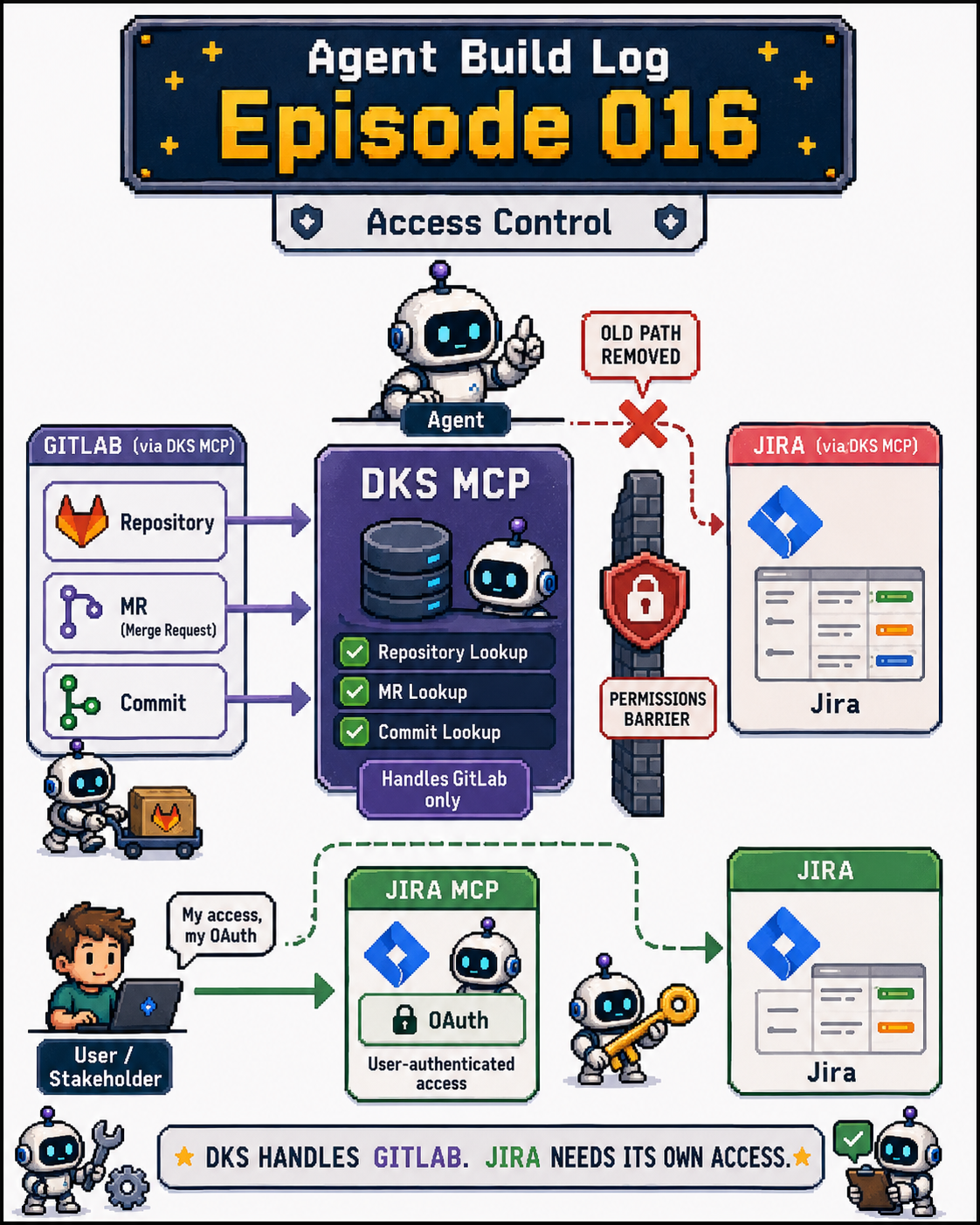
The original design allowed DKS to attach Jira tickets as supporting evidence when looking up GitLab repositories.
This gave the Agent a better understanding of the full story behind a feature.
But later, I discovered a serious permissions problem.
Jira boards, issues, and projects all have their own access permissions.
If the DKS MCP uses its own Jira credentials to query Jira on behalf of a user, the data it can access depends on the account used by DKS, not on the person currently using the Agent.
That means a stakeholder who does not have permission to view a particular Jira board could potentially use DKS to access issues, requirement context, or other information beyond their authorized scope.
Even if the user asks a seemingly ordinary question:
“Why was this feature built this way?”
DKS might retrieve Jira content that the user was never supposed to see and include that information in its answer.
The permission boundary was designed incorrectly.
So today, I removed all Jira-related MCP integrations and query capabilities from the DKS MCP.
Each user must complete OAuth through the Jira MCP and query Jira using their own identity and permissions.
This ensures that Jira only returns content within the scope the user would normally be allowed to see.
DKS will continue to handle GitLab repository, MR, and commit queries.
When the Agent needs Jira information, it will use the Jira MCP authenticated through the individual user’s OAuth.
The two sources can still be integrated at the Agent layer, but they can no longer share the same Jira permissions.
In a system where users have different access levels, convenience cannot come before access control.