
Agent Build Log — Episode 027
Today, I built another “Signature Ability” for the Agent.
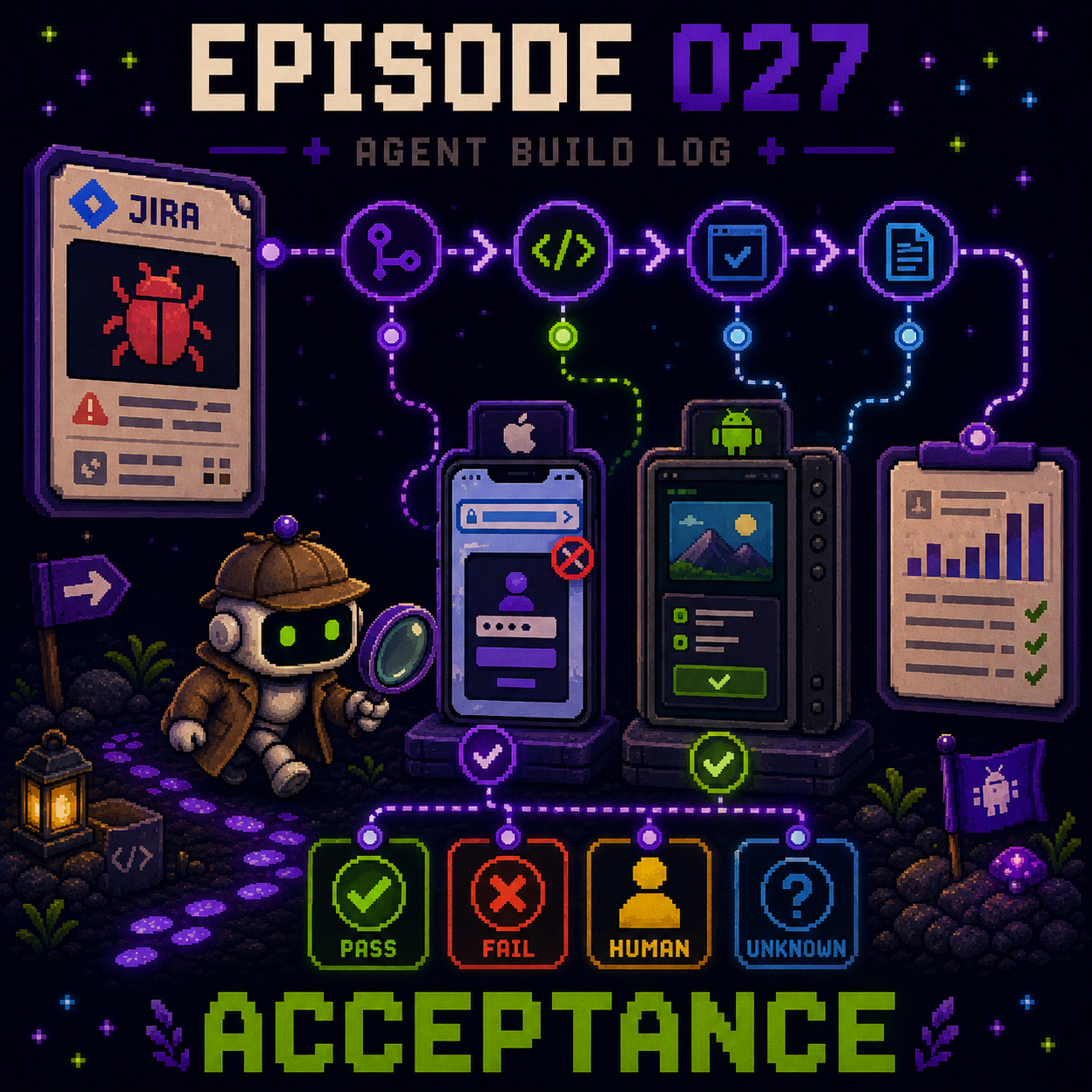
This one is Acceptance.
It starts with a Jira ticket.
The endpoint is a complete acceptance report.
I do not want the final result to be limited to a simple Pass or Fail.
Instead, there are four possible states:
Passed.
Failed.
Needs human review.
Unable to determine.
When the Agent receives a Jira ticket, the first step is not to immediately start operating the App.
It first needs to find the branch or commit associated with that ticket.
Then it checks out the correct version and starts building the code.
Once the build is complete, it performs the actual acceptance process based on the spec in the Jira ticket.
For iOS, the Agent uses XcodeBuildMCP to launch the Simulator, operate the App, navigate to the target page, and verify the ticket step by step.
For Android, the Agent can already operate the Emulator directly, so it can follow the spec and run through the full acceptance flow as well.
During the process, it captures screenshots of the key screens.
Finally, it organizes the steps, results, and evidence into an acceptance report.
I deliberately designed four result states because some things can be judged clearly by the Agent, while others should not be forced into an answer.
If the screen and behavior fully match the specification, the result is Passed.
If they clearly do not match, the result is Failed.
If the Agent completes the flow and collects the evidence, but the final judgment still requires product, design, or QA input, the result is Needs human review.
If the acceptance conditions cannot be completed or there is not enough evidence, the result is Unable to determine.
I do not want the Agent to force everything into Pass or Fail just to produce an answer.
For a simple onboarding-page acceptance task, I also compared how long three models took to complete the entire workflow.
Sol took about 5 minutes.
Terra took about 8 minutes.
Luna took about 15 minutes.
This brings me back to something I discovered earlier:
For Agent tasks, what matters is not just how fast a single response is. It is how long the entire acceptance workflow takes to complete.
However, iOS acceptance currently has one particularly troublesome problem.
If the App uses a web-based login flow, XcodeBuildMCP can operate the native App UI, but it cannot directly interact with the DOM elements inside the login webpage.
In other words, the Agent can make it all the way to the login screen.
Then it gets stuck.
How do I solve this?
I’ll continue with that in the next Episode.